DSFX Send keeps itself up to date automatically. It periodically checks a PacsLogic update source, downloads a newer version in the background, verifies it thoroughly, and installs it the next time DSFX Send closes. Administrators do not have to push new versions to workstations.
How it works
- About a day between checks, a short time after DSFX Send starts, it looks at the PacsLogic update catalog for a newer version. The check only runs when the license is valid, and never interrupts a send.
- If a newer version is listed, DSFX Send downloads it quietly in the background. A download interrupted by the user closing DSFX Send simply resumes next time.
- Before the new file is ever used it is verified three ways: a digital signature on the catalog, the file’s size and SHA-256 checksum, and the file’s Authenticode code-signing signature (it must be signed by PacsLogic). Any mismatch and the file is discarded.
- The update is installed when the user next closes DSFX Send. DSFX Send swaps in the new program and silently starts it once to confirm it runs. If that test fails, the previous version is put back automatically and the bad version is never tried again on that computer.
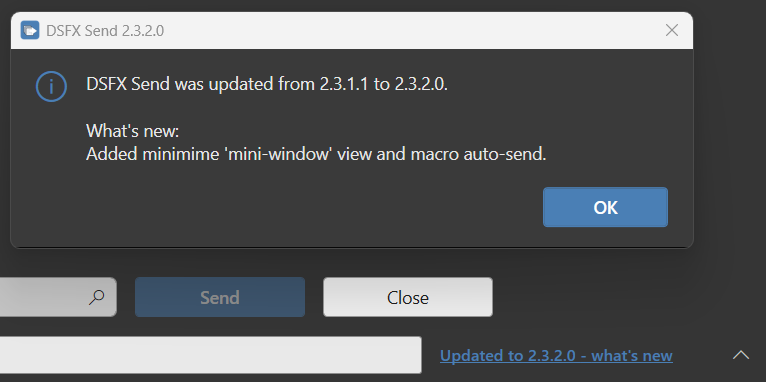
- The next time the user opens DSFX Send they see the new version number and a small “Updated to … — what’s new” note in the status bar.
A workstation is never left without a working program: everything is verified before the swap, and DSFX Send rolls back on its own if the new version will not start.
Controls you have
| Control | Effect |
|---|---|
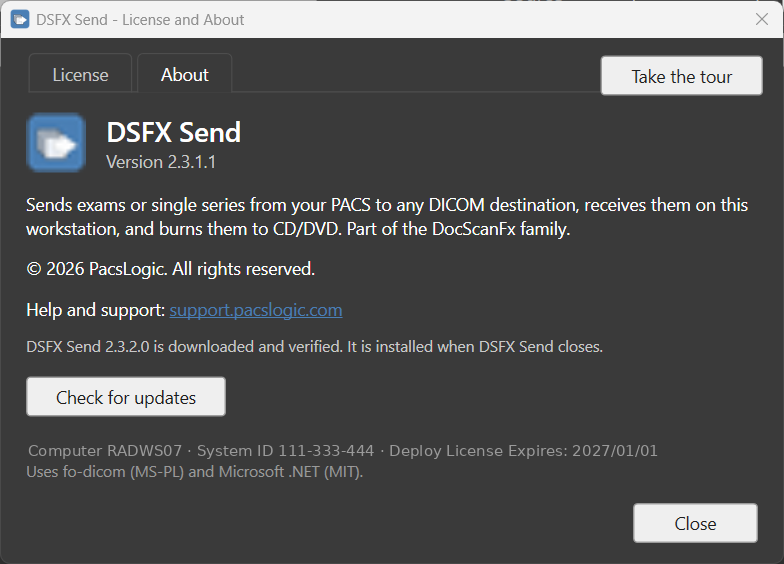
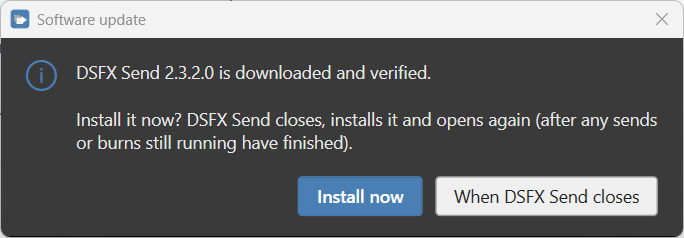
| Check for updates (About tab) | Checks right away instead of waiting, and offers to install now (closing and reopening DSFX Send) or at the next close. Works even if automatic updates are turned off. |
DSFXUpdates=0 | In DocScan.ini [COMMON] (legacy spelling DSFXSendUpdates). Turns automatic checking and installing off — for sites whose IT deploys versions themselves. The manual button still works. |
DSFXUpdateUrl=… | In DocScan.ini [COMMON] (legacy spelling DSFXSendUpdateUrl). Points DSFX Send at an internal mirror or file share instead of the PacsLogic address — for clinical networks without internet access. |
-DSFXUpdateUrl=… | The same, on the command line (legacy spelling -UpdateUrl). The INI setting overrides it. Useful for a single test workstation. |
DSFX-Send.exe -revertupdate | Run once (with DSFX Send closed) to step back to the previous version by hand. |
For offline sites: because every update is digitally signed and checksummed, the update files can safely be served from an internal web server or a file share. Point DSFXUpdateUrl at that location. If a site should not update at all, set DSFXUpdates=0.