
Do your techs use a Merge macro that changes the exam status and auto-routes to a destination? Instead of Merge’s behind-the-scenes routing, DSFX Send can do the routing step with visual feedback. Create a custom action that adds the -DSFXSelectedDestination= switch (old name -SelectedDestination) with the AE title to send to, and attach it to your macro instead of Merge’s Route. When it runs, a small progress window appears in the lower-right corner of the user’s screen and goes away when the send is complete.
"C:\Program Files (x86)\DocScanFx\DSFX-Send.exe" -DSFXSource=VCH_MMR@192.0.2.32:12001 -DSFXDestinations=https://vch-ipacs.example.org/webaccess/dsfx_destinations.csv -SIUID {$0020,000d} -DSFXOnlineAudits=False -DSFXSelectedDestination=DEST_PACS
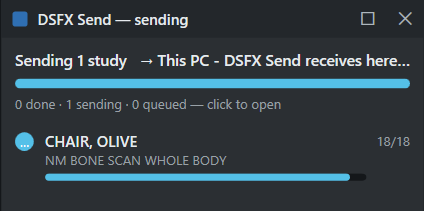
For how this progress window (the “send monitor”) behaves, see The application; for the switch itself, see Command-line options.
← Worklist “Route Series” Action buttonCommand-line examples →