Add the macro to a toolbar in PACS for yourself, using the correct Send Series icon for the button.
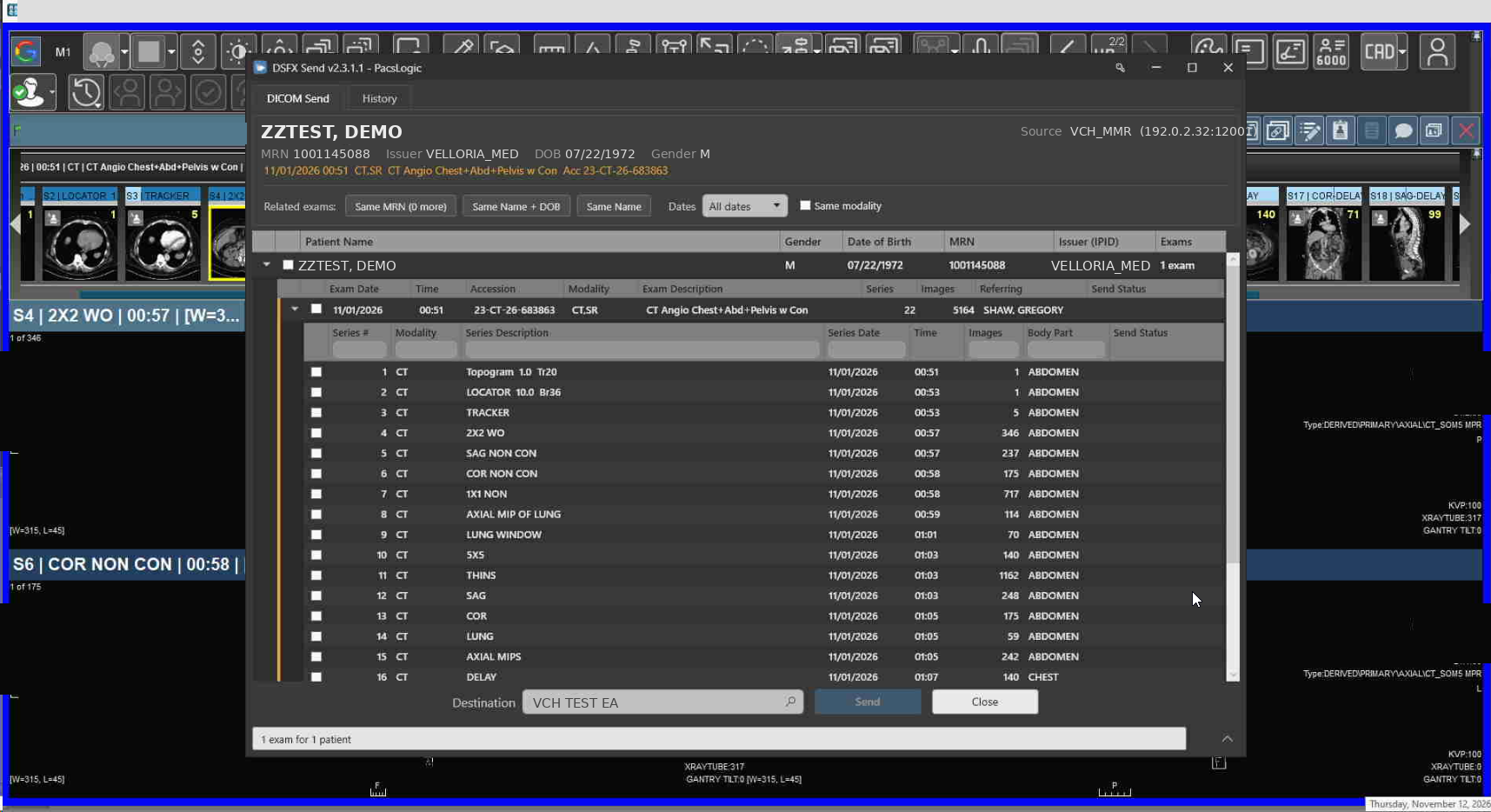
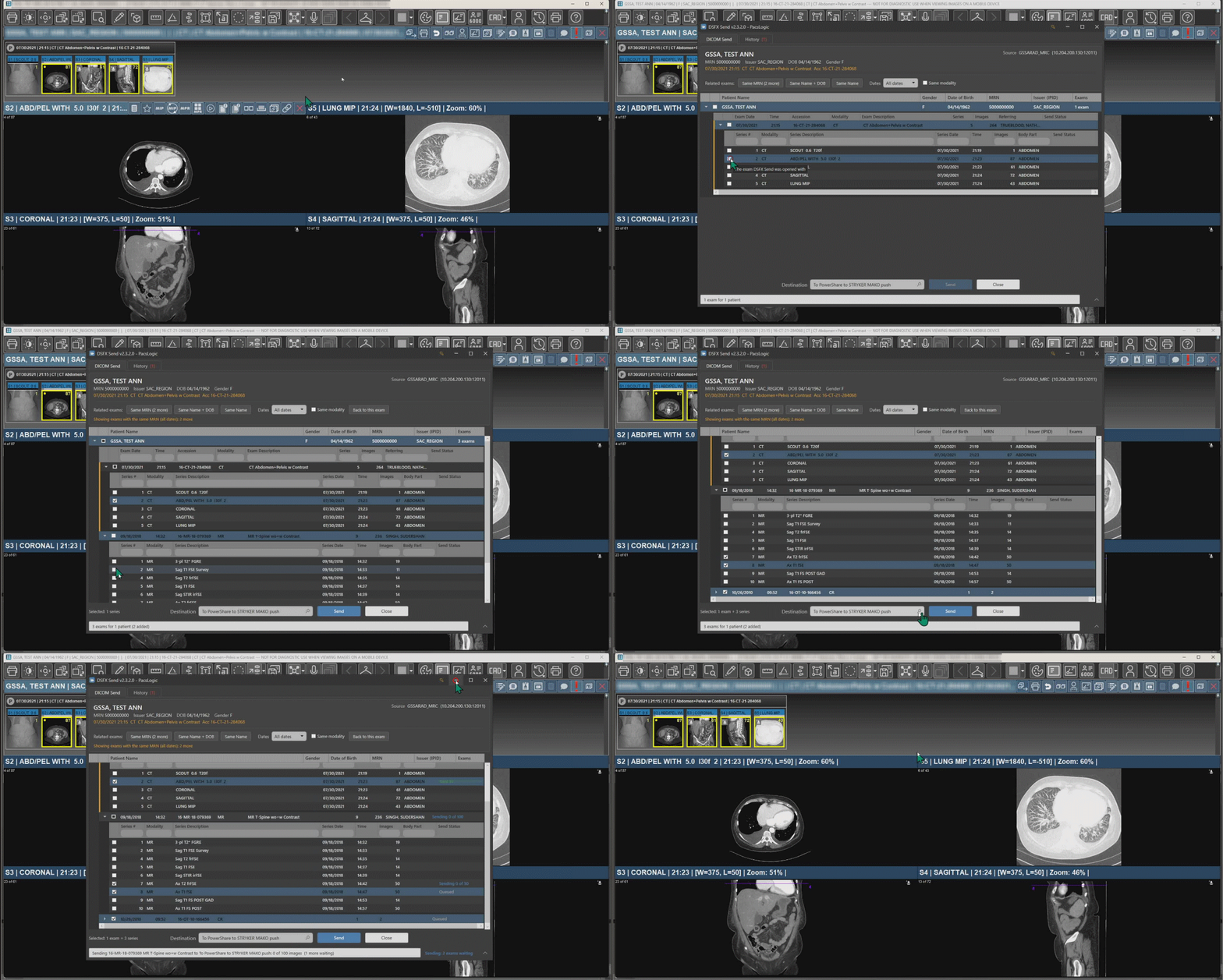
Open an exam and run it. DSFX Send opens straight to that exam so you can pick the whole study or individual series and send them.
After it runs once, a DSFX Media Files folder appears in your DocScanFx Resources folder — that is expected (it is used if you add a CD viewer).
DSFX Send launched from a Merge macro — the user selects the whole exam or individual series, picks a destination, and clicks Send.End-to-end send from the toolbar